Suite 152 · Website chat
Website chat that books the call
AI website chat for mortgage websites that sits on every company, branch and loan officer page, answers general questions from your approved knowledge, captures the visitor’s details with consent and books the right LO.
- AI assistant Hi! I’m the AI assistant for this site. Questions about VA loans, or want to book time with a loan officer?
- Borrower Do I need a down payment for VA?
- AI assistant Many VA loans don’t require a down payment, but eligibility and terms depend on your service history and situation. A loan officer can check your specific case. Want me to book a call with Andre? He works with a lot of veterans.
- Borrower Sure, can someone just call me today?
- AI assistant I’ll ask Andre to call. What’s the best number, and is it OK to text you a confirmation?
- Loan officer Hi, Andre here, I saw your chat. Calling you in 5 minutes.
What a conversation looks like
Helpful, brief and handed to a human
The sample on this page is written by our team to show tone and guardrails: general information, no rate quotes, consent before follow-up, and a licensed loan officer for anything specific.
- Introduces itself as an AI assistant
- Declines rate, approval and advice questions politely
- Offers a specific time with a specific LO
- Saves a summary to the CRM
How it works
How Website chat works, step by step

-
Stage 1 of 4
Visitor opens chat
The widget knows which page it is on, so on Maya’s page it offers Maya’s calendar and on the VA page it knows the visitor is reading about VA loans.
-
Stage 2 of 4
Answers from your knowledge
Programs, process, documents, hours and locations, from the same approved knowledge base as the receptionist.
-
Stage 3 of 4
Captures the lead
Name, contact details, goal and consent, then creates the contact in the right pipeline with page and campaign attached.
-
Stage 4 of 4
Books or hands off
Books the LO’s calendar, or flags the conversation for a human who can jump into the same thread from the CRM inbox.
Honest limits
What it can do, and what it never will
It can
- Answer general questions on every page
- Know which page and LO the visitor is on
- Capture details with consent
- Book calendars or hand off to a human in the same thread
- Log the transcript to the contact
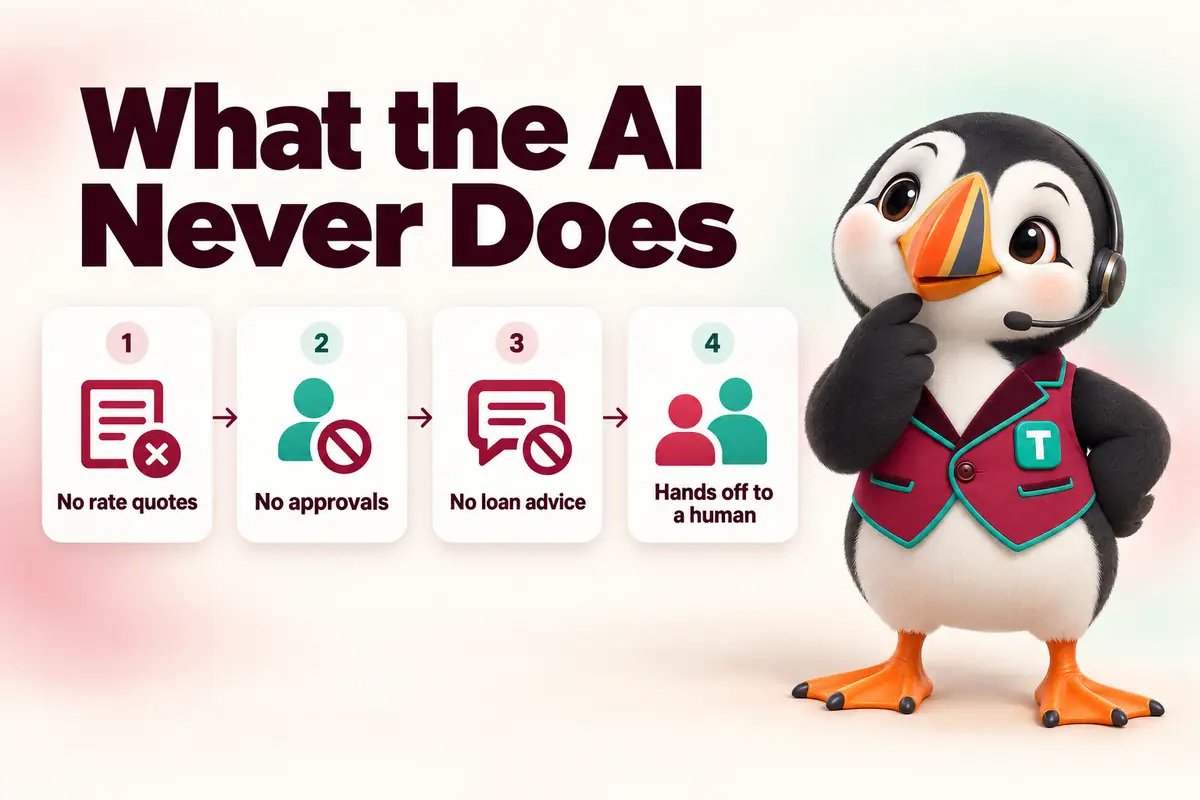
It never will
- Quote interest rates, APRs or payments
- Pre-approve, approve or deny anyone
- Give loan, tax, legal or financial advice
- Pull credit or collect a Social Security number
- Pretend to be a human when asked
Compliance notes
Rules this channel lives by
General information to discuss with your compliance team, not legal advice.
AI disclosure
The first message says it is an AI assistant.
Consent before follow-up
Texts and calls happen only after the visitor agrees, with the consent saved on the contact.
Accessibility
The widget is keyboard-operable, screen-reader labelled and closable with a visible button.
Privacy
Transcripts are stored with the contact under your privacy policy; we never sell or share them.
More detail: our AI disclosure and the AI chat and texting compliance guide.
Setup
What we set up, with you
Done for you, trained on your group’s own information and approved by your team before it answers anyone.
- 01
Install
The widget is part of every suite site; no code to paste. It loads after the page so it doesn’t slow your speed scores.
- 02
Knowledge and tone
One shared knowledge base with the other channels; tone set to your brand.
- 03
Handoff rules
Who gets notified, during which hours, and how fast a human should join.
Pricing
AI Conversation Desk: $289/mo
Per suite, shared by every LO and inbox in the group. One-time setup $690. Or get AI Engine Complete (receptionist + conversation desk) for $529/mo, or $449/mo with any Suite plan.
Ask the front desk
Questions about Website chat answered

-
YouWhat does AI website chat do on a mortgage site?
Funnel Suite teamIt answers visitors’ general questions from your approved knowledge, captures their details with consent and books a loan officer, so a 10 PM visitor becomes a scheduled call instead of a bounce.
-
YouDoes chat slow down the website?
Funnel Suite teamNo. The widget loads after the page content, so it doesn’t affect how fast the page appears.
-
YouCan a human take over the chat?
Funnel Suite teamYes. LOs and assistants see live chats in the CRM inbox and can reply in the same thread.
-
YouIs the chat different on each LO page?
Funnel Suite teamYes. On an LO page it offers that LO’s calendar and routes the lead to that LO.
-
YouWill it answer rate questions?
Funnel Suite teamNo. It explains that rates depend on the borrower’s situation and offers a call with a loan officer.
-
YouWhat does it cost?
Funnel Suite teamWebsite chat is part of the AI Conversation Desk, priced per suite with SMS and social DMs. See pricing below.
-
YouCan visitors chat in Spanish?
Funnel Suite teamYes, with approved Spanish knowledge content.
-
YouWhere are transcripts stored?
Funnel Suite teamOn the contact record in the CRM, under your privacy policy.
No question matches that. Search the help center or ask us directly.
Hear Website chat trained on your branch
On the walkthrough we’ll show a sample conversation built from your own website content and your rules for handoff.
Free 30-minute walkthrough · no obligation · reply within 1 business day